Why the Squeegee Is the Most Overlooked Tool in Screen Printing
When you step into a screen-printing shop, usually the first things you notice are the presses, mountainous stacks of blanks and the undeniable smell of ink. But Charlie Taublieb of Taublieb Consulting and author of Screen Printers Hand Book & Survival Guide insists the real magic often comes down to a much simpler tool: the squeegee.
“I prefer using squeegees that are sharp and straight no matter which garment color will be printed or the detail that will need to be held,” says Taublieb. “It’s one of the cheapest, most overlooked tools in the shop—and it makes all the difference.”
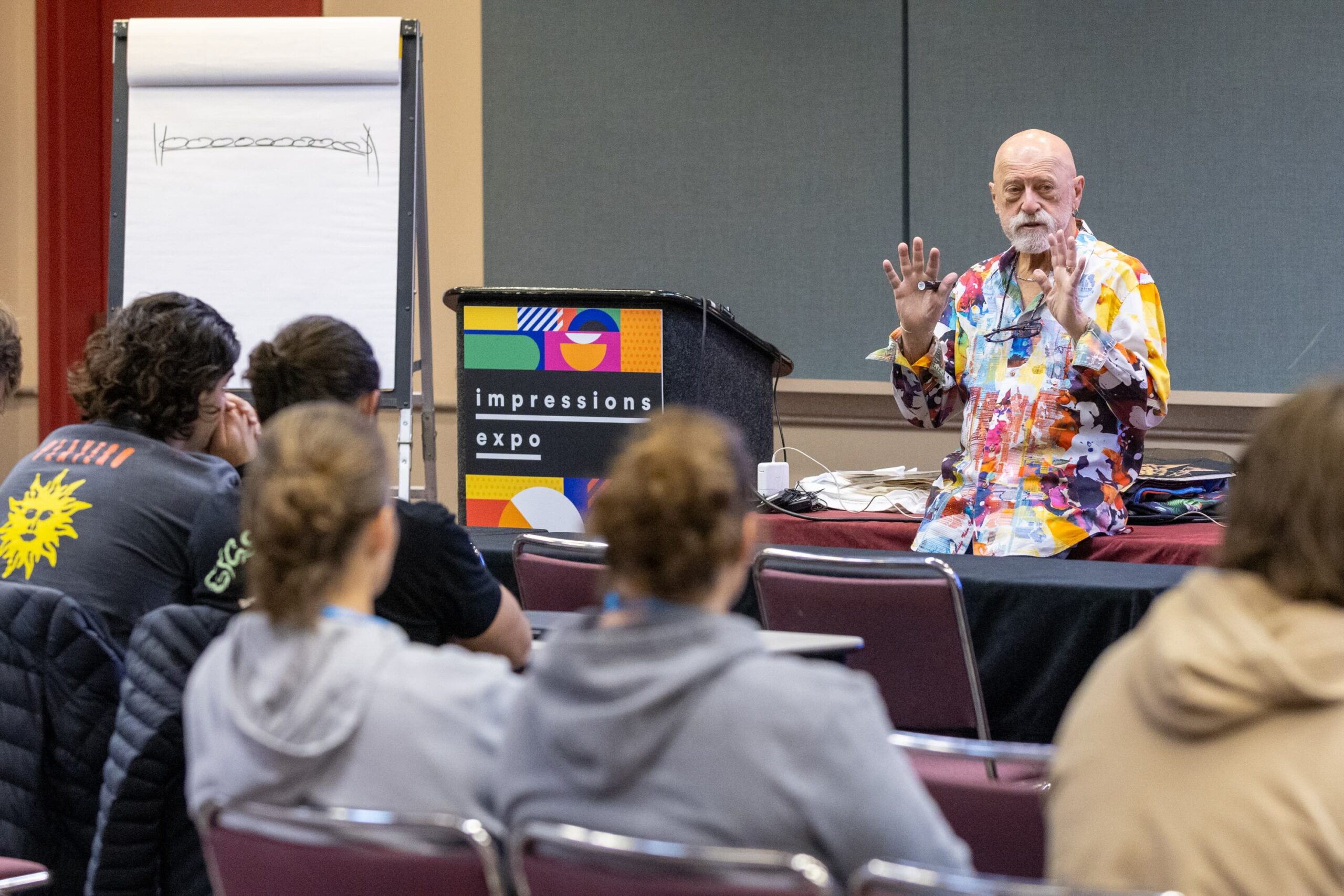
For decades, Taublieb has traveled the world teaching textile printing workshops. And in nearly every seminar, he begins by asking the same question:
“Do you know which squeegee hardness or durometer to use based on the type of work you are going to print, and the ink type you will be using?”

The silence that typically follows often tells him everything he needs to know.
The Evolution of the Screen-Printing Squeegee
The modern squeegee is a refined piece of printing equipment, but its origins are humble. Early versions were closer to window-cleaning blades: wood handles, natural rubber and a single hardness level.
As screen printing grew popular in the mid-20th century, especially with the rise of the promotional T-shirt in the 1970s and 1980s, printers demanded more control. That’s when multi-durometer blades and better sharpening tools started to appear. The T-shirt boom forced innovation in the squeegee.
Today, the tool has evolved alongside fashion itself. Streetwear drops, performance fabrics and retail-quality prints wouldn’t be possible without specialized squeegees designed for precision and versatility.
How Squeegee Angle, Pressure and Speed Control Ink Deposit
A squeegee is more than a blade pushing ink through mesh. According to Taublieb, it’s the conductor of the print. The angle, pressure and speed of the stroke determine whether a design pops or disappoints.
“Too much pressure and you’ll drive ink under the stencil, causing halos or blurred edges,” he explains. “Too little, and you won’t get enough ink onto the shirt. It’s about control, and a sharp edge gives you that control.”
He often reminds shops that as little as a five-degree change in angle can shift ink deposit, which matters when you’re chasing vibrancy on dark garments or subtle halftones on light tees.
Matching Squeegee Durometer to T-Shirt Fabric and Ink Type
Taublieb is quick to point out that the T-shirt isn’t a passive canvas. “The fabric type and color dictate what the squeegee has to do,” he says.
On light cotton garments, a medium durometer can deliver fine detail with crisp halftones. But on dark poly blends or hoodies, opacity becomes the priority. “You need a softer blade to lay down more ink for coverage,” he says. “That’s why I keep favorites like the 65/90/65 triple durometer for most of my automatic prints.”
Even fashion-forward tri-blends or performance tees can change the equation. “When customers want a soft-hand print on a lightweight garment, you must think about ink deposit. The wrong blade will bury the shirt in ink or ruin the feel.”
Why Squeegee Maintenance Is Critical for Print Quality
Surprisingly, squeegees seem to be the one tool that is rarely kept up, with most printers opting to replace than maintain. “It amazes me how many print shops don’t have a squeegee sharpener,” Taublieb says. “I’ll ask them why not, and the answer is usually, ‘I’ll buy new squeegees once these wear out.’ That’s throwing money away.”
Consider a shop producing 30,000 shirts a month. By the end of a run, blades are worn, edges rounded, and prints suffer. Instead of replacing, Taublieb recommends sharpening weekly and rotating blades.
He also recommends keeping separate blades for white ink, which makes up roughly 40 percent of total ink sales. “Dedicated squeegees for whites prevent contamination and keep coverage consistent,” he says.
Squeegee maintenance is one of the cheapest ROI moves a printer can make. It’s the equivalent of changing your car’s oil. If you don’t, the vehicle is eventually going to break down.
Training Screen Printers to Use the Right Blade
While most shops train staff on screen tension, registration or flashing, the squeegee rarely gets attention. Taublieb believes that’s a mistake.
New printers can sometimes think it’s just a piece of rubber pushing ink. But Taublieb often reminds new printers that the squeegee isn’t just a piece of rubber, but a precision tool that controls ink flow. When properly trained, printers can feel resistance, observe how the blade moves ink and then begin to understand how critical it is.
He often encourages operators to experiment by switching durometers, trying different angles and then comparing results. “Once they see how much cleaner or brighter a print looks with the right blade, they get it. That’s when squeegees stop being an afterthought.”
The Most Common Screen-Printing Squeegee Mistakes
Every shop makes squeegee mistakes, even experienced ones. Here are a few Taublieb sees most often:
- Using one blade for every job. “There is no universal blade. Match the durometer to the ink and garment.”
- Ignoring blade condition. Rounded edges, nicks or dried ink build-up will wreck a print.
- Over-inking. “Printers think flooding the screen is the answer. It’s not. It’s about controlled deposits.”
- Wrong pressure. Too much force can warp mesh and bleed edges, too little leaves patchy coverage.
“These are small things, but they add up,” Taublieb says. “Correcting them is often the difference between a dull print and a vibrant one.”
New Innovations in Screen-Printing Squeegee Technology
Like the apparel industry itself, squeegee technology has evolved. Early printers relied on single-hardness blades, but today decorators can choose from advanced configurations.
“The double squeegee and roller squeegee are great examples,” says Taublieb. The double blade combines two durometers for one efficient stroke, increasing output by as much as 30 percent compared to double stroking. Meanwhile, roller squeegees flatten ink after a flash, smoothing the surface for brighter final prints.
“As T-shirts became lifestyle pieces and performance wear, printers needed tools that could keep up. Specialty squeegees gave us that edge.”
The Future of Squeegee Technology in Screen Printing
While Taublieb’s handbook focuses on the fundamentals, it’s worth considering where squeegee technology might go next. With automation and hybrid printing becoming more common, blades could evolve to include smart features—for example, sensors that measure wear, track angle and pressure, or even integrate with press software to provide real-time feedback.
Other developments may focus on sustainability, with manufacturers experimenting with longer-lasting or recycled materials to reduce waste. As the decorated apparel industry pushes toward greater efficiency and eco-conscious practices, even the humble squeegee may see innovation.
The takeaway: as long as T-shirts remain cultural icons, printers will keep demanding brighter, cleaner, more consistent results and squeegee design will adapt to meet that need.
Case Studies: Lessons from the Shop Floor
Taublieb has seen firsthand how squeegees can make or break production.
To illustrate the importance of squeegee choice and maintenance, consider two common shop scenarios many decorators have faced.
In one case, a shop printing white designs on dark garments resorted to multiple strokes just to achieve opacity. The extra steps slowed production and wore down screens faster. With sharper blades and the correct durometer, those printers could have achieved brighter whites in half the time.
In another scenario, a marathon merch run began breaking down mid-job due to worn squeegee edges. Registration drifted, ink deposits grew inconsistent, and production ground to a halt. A simple sharpening routine or blade rotation schedule could have prevented the loss of valuable hours and materials.
These examples underscore a central truth: overlooking squeegee maintenance or blade choice can derail production as surely as an untensioned screen or a misregistered press.
Veteran decorator and screen-printing guru Charlie Taublieb is both the principal of Taublieb Consulting and a regular Impressions Expo conference program presenter. “The Screen Printers Handbook & Survival Guide” is available digitally or in print form at taubliebconsulting.com.